Why an NDIS website is critical for your organisation
- 19 MIN Development, Digital Marketing, Security, UI & UX Design
The National Disabilities Insurance Scheme (NDIS) is transforming the provision of disability services in Australia. As part of the shift towards government funding going directly to service users, organisations are required to become more focused on marketing to customers and potential customers. The resulting market shift means service organisations must now appeal directly to the individual.

Many organisations in the disability sector do not have extensive marketing capabilities, particularly in regards to the digital space. At the same time, consumers are becoming more and more empowered to look for and evaluate services online. The combination of these growing demands increases the importance for organisations to consider how their company will make the shift to sophisticated online marketing, what factors to consider when buying a website.
It is with this in mind that I recently discussed these issues with Daniel Kyriacou, National Corporate Communications Manager at National Disability Services, and created this follow up piece to share with CEOs, senior managers and decision makers looking to better understand the digital landscape and how to make decisions in what may be an unfamiliar area.
National Disability Services
“An organisation’s website should reflect and support its overall marketing plan. It should work with ease and be simple to navigate.”
The purpose of a good digital presence
A website is able to provide customers with 24/7 access to information about your products and services. This means a constant communication platform that does not pressure the customer in terms of sales, but allows them to look through information in a relaxed way, making decisions around choosing services at their own pace. From the organisation’s perspective, purchase decisions can be made – without using (or at least with less) staff time.
An organisation’s website should reflect and support its overall marketing plan. It should work with ease and be simple to navigate. Standard website functions should be provided, and work in a way that customers expect. To create an appropriate website, the first step is to understand your target market. Second, identify the different types of users that will use the site, and the journey that you would like them to take, then make that journey as simple and ideally as enjoyable as possible. A great user experience is key to the success of your website, and should be altered and adapted as services, consumers and preferences change over time.
NDS’s new website was recently built by Butterfly. The NDS site provides clear user journeys, with obvious information sections and pointers to allow customers to access information and services easily and efficiently. It is aesthetically striking, and accurately represents the aims, services and brand of the NDS.
An example of a campaign microsite is the ‘Every Australian Counts’ website. The site has a clear message, and is successful in providing the customer with easily accessible options, and a clearly guided journey through the microsite.
Web-terms that you may need to be familiar with
There are many terms in the world of web development. Some of the terms discussed during the interview are defined below.
Agile
A modern project management methodology where the client organisation works closely with the provider through all stages of the project and the requirement and solution evolves via collaboration. The contrasting methodology is ‘Waterfall’ where a project is scoped, planned, designed then built, which leaves little room for movement during a project. The trend is towards agile, especially for large, complex or uncertain projects.
CMS
Content Management System, and literally means a piece of software that helps run the content on a website. This is useful in visualising your website as it develops, and allows you to make changes as you go. Common CMSs include WordPress, Joomla and Drupal as well as licenced CMSs like Sitecore and Microsoft Adxstudio.
Content Strategy
Planning, developing and ongoing managing of content for your website. Many organisations in the disability sector have hundreds of pages of content, which can be a very useful asset for people looking online for information. Lots of high quality content is often described as “search engine food”, and can help attract lots of targeted, free traffic.
Conversion Rate Optimisation
As online marketing has become more sophisticated, an increased focus on the results that organisations achieve from websites, is termed Conversion Rate Optimisation. Conversions might be enquiries about services online, or donations to a campaign or direct purchases online.
CRM
Customer Relationship Management software provides a database of customer and related users’ information. This includes contact details and records of communication such as telephone calls. Sophisticated organisations integrate their CRM with their CMS so that website users are presented with tailored information, and online activities such as purchases and enquiries are recorded against their CRM profile. This information can then be used for more sophisticated and targeting marketing opportunities, and automate data upkeep tasks.
SEO
Search Engine Optimisation covers any action designed to improve the ranking of your website in Google’s free listings. SEO has evolved rapidly over the last two years, and now Content Strategy is seen as the best SEO strategy, along with a well-maintained and organised website.
Stakeholder engagement
The process of involving different groups of people that are affected by your website in decision making around a new website. This can be via surveys, focus groups, or a range of other mechanisms. The specific range of stakeholders varies with each project, and can consist of customers, potential customers, staff, different departments, senior managers and/or board members.
Responsive design
This is a method to design and build a website to work well on all devices – desktop, mobile or tablets. As consumers use more and more devices to interact with your organisation online, it is vital that your information is presented well, regardless of the screen size.
WCAG
Web Content Accessibility Guidelines were created to help those with disabilities such as visual impairment access important content online. As more and more services move to online only, creating a site that follows these guidelines is important not only to ensure you reach your market, but also to avoid discrimination. Your web developer should follow these guidelines to ensure the best result for your users.
Selecting a web development vendor
When choosing a provider for your website, ensure that you evaluate the following:
- Appropriate size for your organisation
- Proven experience in the disability or health services sector
- A good cultural fit
- A range of capabilities
- Ability to provide long term support
- Strong IT practices
- Good advice
- A sensible timeline
- Your budget
Find a web development agency that can appropriately accommodate for your needs. i.e. if you are a large service provider, a small agency may not have the scope or capabilities to support your needs. If you are a small or specialist service provider, you won’t need a top end agency that charges more than $200 per hour. If you are the agency’s largest client then you will get the most attention, but you may not get advice from experienced people. If you are the agency’s smallest client, you will struggle to get attention, constantly being at the bottom of the list. Aim for a good fit, where you will be looked after and given strong advice.
It is not mandatory to use a provider with experience in the disability sector, but it will make the process easier. Look for a strong client list with other clients that are similar to your organisation.
You have to work with a company that works like yours. If you are an informal and flexible company, you’ll need a web design agency that understands this, and works in a similar way. Likewise, if your organisation prefers formal processes you will be frustrated by a provider that flies by the seat of their pants.
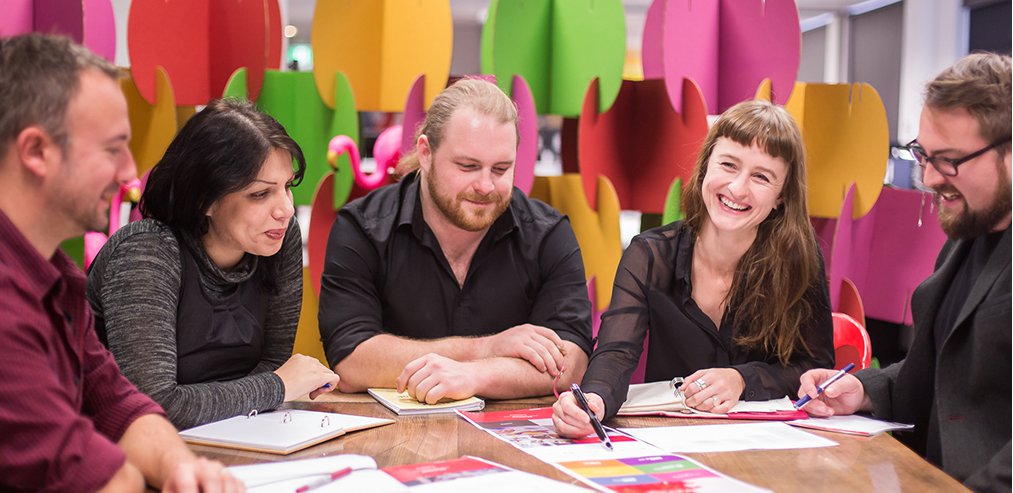
It takes a team of digital experts to provide advice and build a good website. Seek a provider with a strong design team, development capabilities, project management, hosting and support. Look for a depth of talent so that your project won’t get affected if a staff member leaves, and so that small projects can be delivered without interrupting large projects.
Similarly, look for a provider that is set up to provide long term support. A dedicated helpdesk is ideal; they can help at any time and will support you through problems or changes. Some web developers like to move on to the next client as soon as they have the final payment on a website.
Websites exist at the intersection of marketing and technology. As such, it is important that your provider has very strong IT capabilities, especially around security, backups, code repositories, programming methodologies and containerised hosting. Unfortunately, a lot of clients only find weaknesses in their provider’s IT capabilities when things go wrong.
Look for a partner that can give you friendly on-going advice. The web world is constantly changing with new products, technologies, techniques and approaches. It is not important that your organisation is on the cutting edge – a lot of money is lost taking risks that don’t pay off. However, it is important that your organisation knows trends that are happening so that it can be aware of the right path to take, and the right time to take action.
Time is very important. You are better to take your time and get the right result than to rush for an ambitious timeline. Organisations in the disability sector often take longer than the wider corporate world due to slower internal decision making processes and staff being stretched across their normal job in addition to the web project. Be clear on how much time your staff can devote to the project, and streamline decision making. Design decisions by committee end up being bland, and it is rare that senior managers have as much experience in web as the marketing and IT teams.
The final consideration is how much you are going to spend. You will need to work out a realistic budget that allows you to create your website to achieve all of the above, and to continue changing the website if necessary. This will include all sections of the web build: design, development, WCAG, ongoing support, security, content writing, an internal resource section for your staff, disaster recovery, backups, and contingency funds (around 10%-20% of the project).
Like this article? Share with friends and colleagues
LinkedIn
Pinterest
Facebook
Twitter
WhatsApp
Email